Connect a data source
Where: sidebar → JDBC connection. The page heading is Data Connections.
Before you start
Ask your administrator or source-system owner for a reachable endpoint, connector type, source database or path, required TLS settings, and credentials with the minimum source access you need. Creating and testing connections requires workspace-write permission.
The available connector form comes from your deployment. The reviewed UI describes PostgreSQL, MySQL, and FTPS sources; do not assume an arbitrary JDBC driver is supported just because the navigation says JDBC.
Add the connection
Select New connection, enter a descriptive Service name, and select the Database connector. For a training exercise, use a name such as training-orders-source.
Complete the connector form
Fill in the fields shown for that connector. Use the source endpoint reachable from the platform, not an address that only works on your laptop. Never paste credentials into the service name.
Test, then save
Select Test connection and inspect the result. Correct connectivity or authentication errors before continuing. Select Save service when available; editing an existing connection uses Save changes.
Verify the saved configuration
Find the saved entry and select Test saved. Check for the Verified badge and the test timestamp. If you changed credentials or endpoint settings, test again.
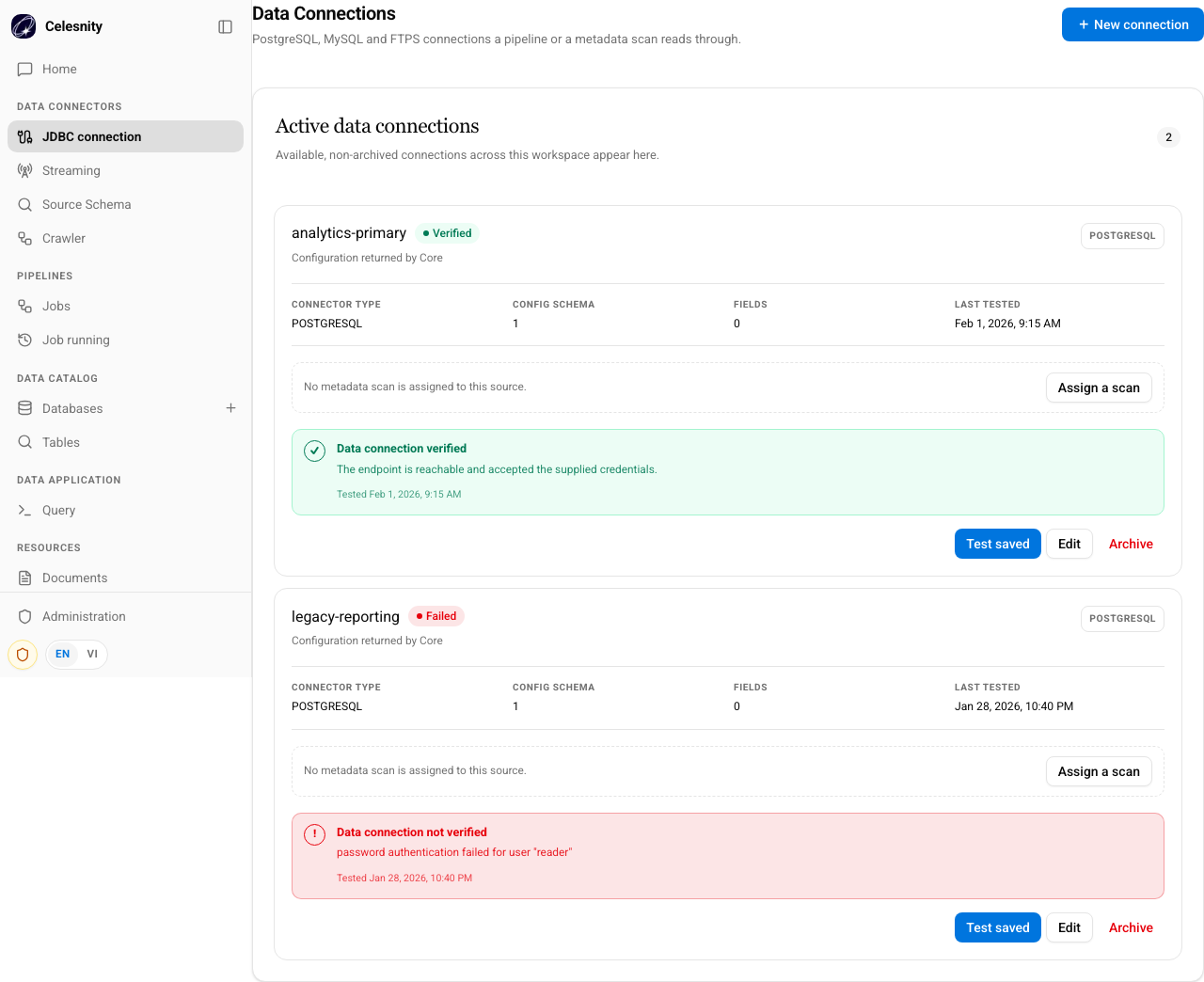
Illustrative screenshot from the Web visual-test fixtures, not live customer data. Labels may vary with your release.
What success means
A successful test confirms that the tested endpoint accepted the supplied configuration. It does not prove every table is readable, discover source metadata, or ingest rows.
Continue with Assign and run a crawler. If a connection does not appear in the crawler selector, check its saved verification state and the connector's discovery support.
Edit or archive
Use Edit to update a saved connection. Use Archive only after checking which crawlers and pipelines depend on it. Archiving a connection is not a command to delete the external database or erase previously ingested data.
Keep passwords and full credential-bearing URLs out of support requests. Share a connection name, connector type, timestamp, and sanitized error instead.